วิธี Export อีเมลจาก email.wu.ac.th เป็น PST File
หลังจากเชื่อมต่ออีเมลผ่าน Microsoft Outlook เรียบร้อยแล้ว จะสามารถดำเนินการ Export อีเมลได้ เพื่อเตรียมนำข้อมูลไปยัง Office365
เว็บไซต์ email.wu.ac.th เองไม่มีฟังก์ชัน export โดยตรง ต้องใช้ Microsoft Outlook เชื่อมต่อบัญชี แล้ว export ข้อมูลจาก Outlook
-
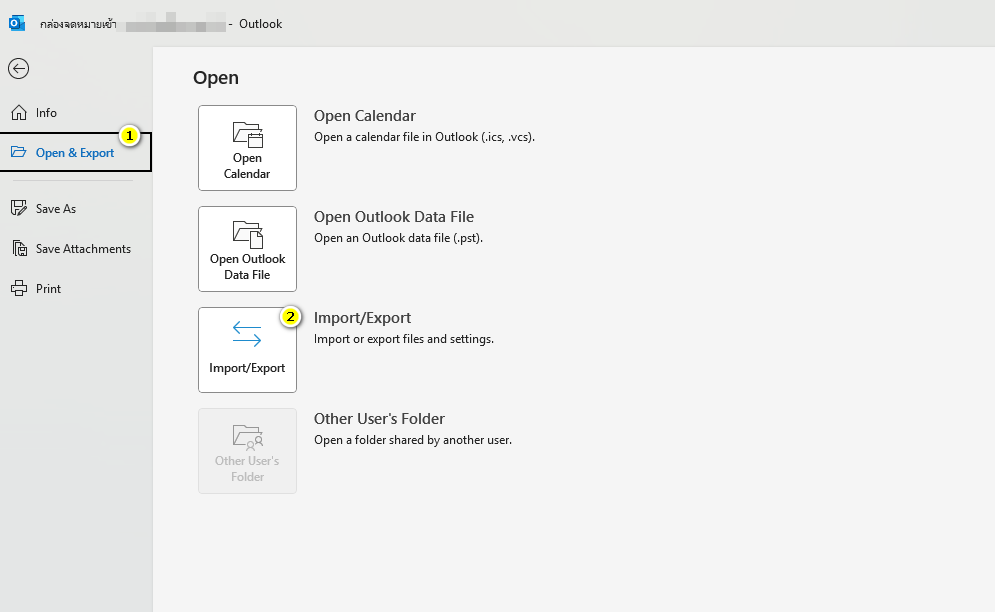
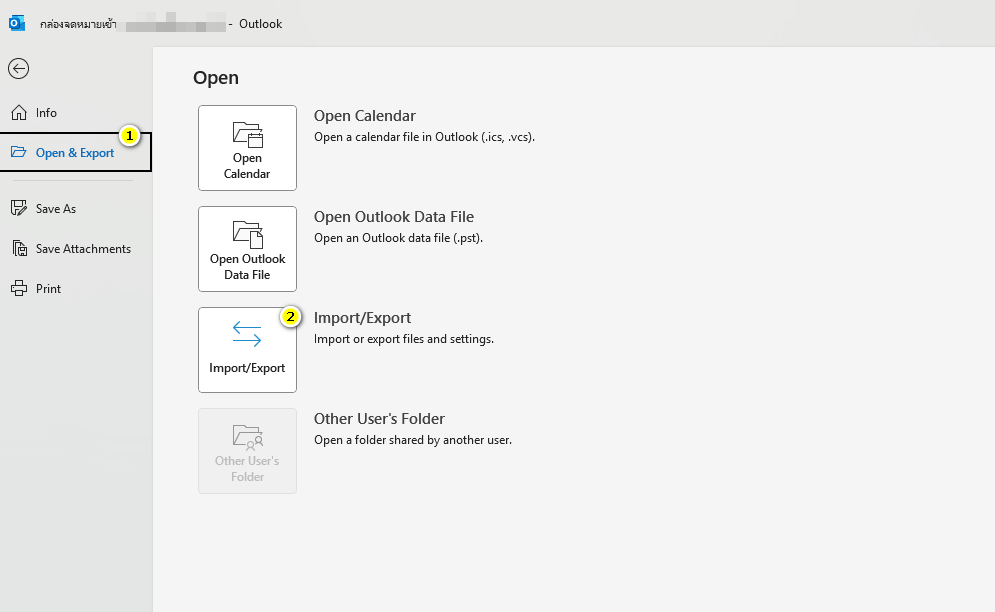
ไปที่ File > Open & Export > Import/Export
-
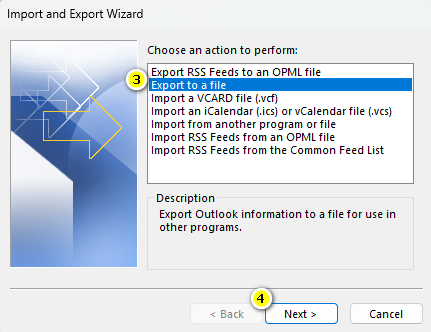
เลือก Export to a file > กด Next
-
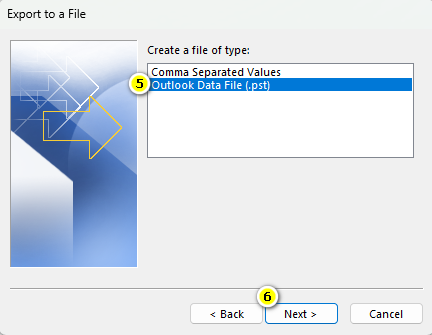
เลือก Outlook Data File (.pst) > กด Next
-
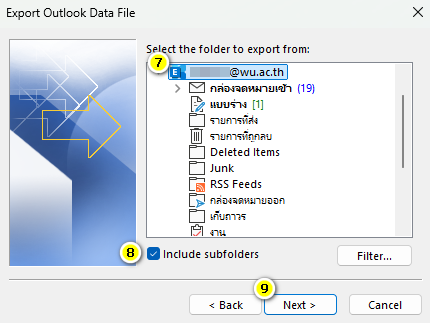
เลือก root mailbox (รวม Inbox, Sent, etc.) และติ๊ก Include subfolders > Next
-
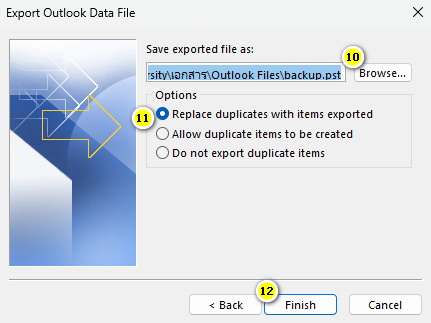
เลือกที่จัดเก็บไฟล์ .pst > เลือก Option เป็น "Replace duplicates with item exported" >
กด Finish
-
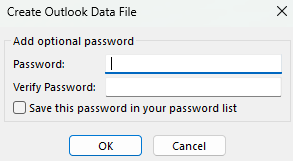
ตั้งค่ารหัสผ่านสำหรับนำไป Import ข้อมูล
ศึกษาการ Export เพิ่มเติมได้จาก Link: https://www.youtube.com/watch?v=kfCX_suwTAQ