
วิธีเชื่อมต่ออีเมล(@wu.ac.th) ด้วย Microsoft Outlook
สิ่งที่ต้องเตรียม
- บัญชีผู้ใช้จากระบบ email.wu.ac.th (อีเมลองค์กรปัจจุบัน)
- โปรแกรม Microsoft Outlook (แนะนำใช้ Outlook 2016 ขึ้นไป)
-
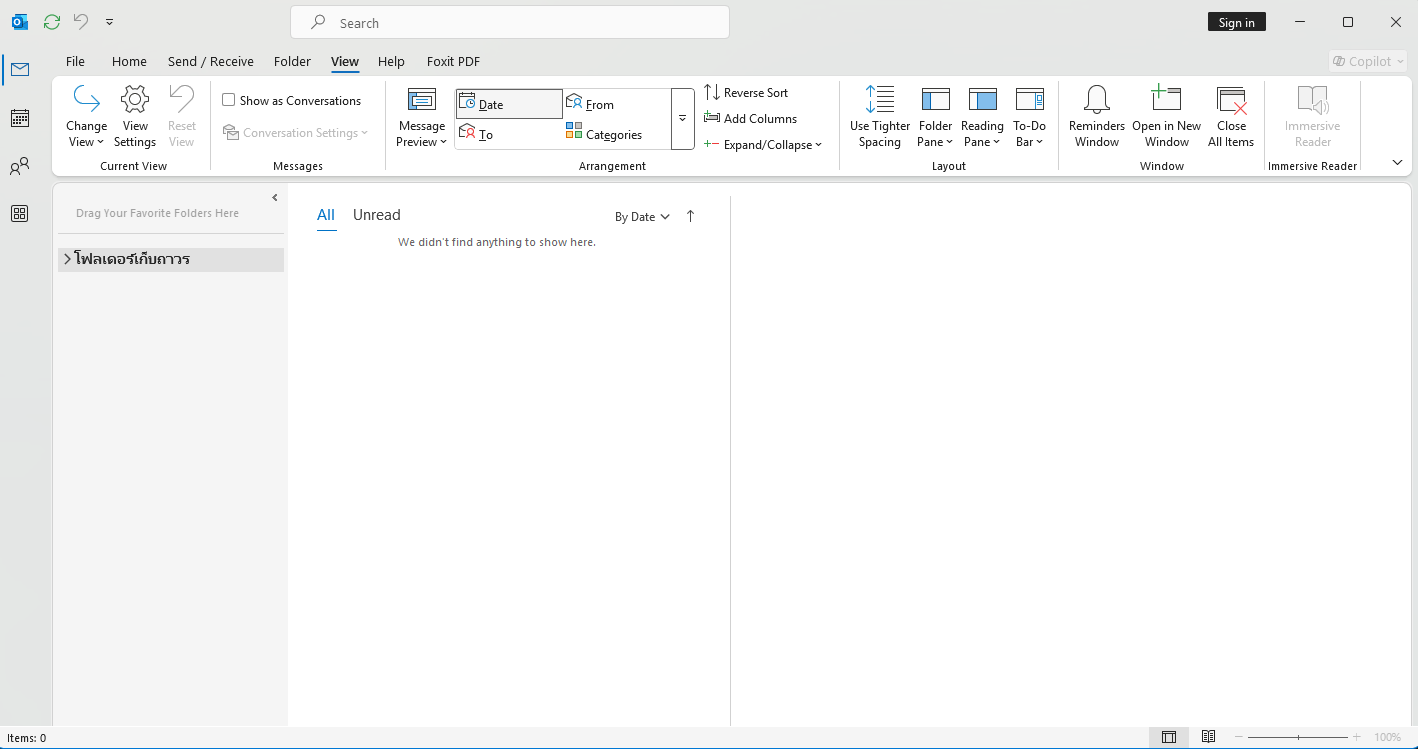
เปิดโปรแกรม Microsoft Outlook
-
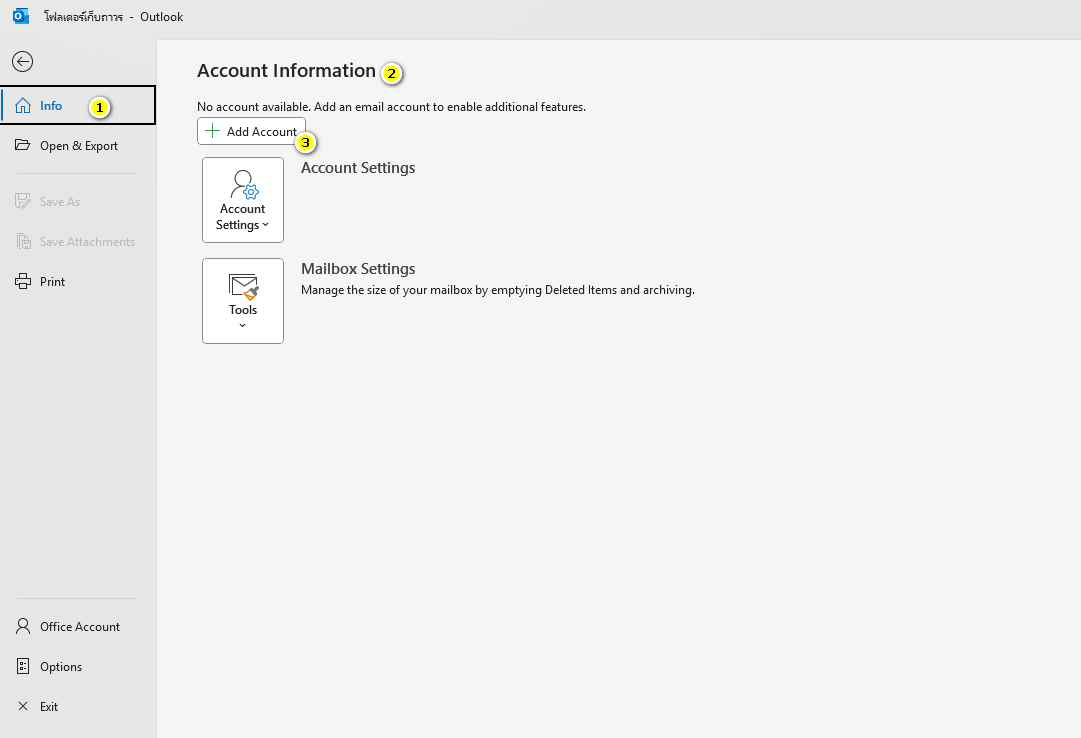
ไปที่ File > Account Settings > Account Information > เลือก Add Account
*** หากไม่มีเมนู File ให้สังเกตมุมขวาบน เลือกแถบปิด New Outlook
-
ใส่ Email, Password ของบัญชีปัจจุบันของมหาลัย แล้วกด Connect
*** ถ้ามีหน้าต่างแสดงลักษณะนี้ ให้เลือกเป็น Exchange 2013 or earlier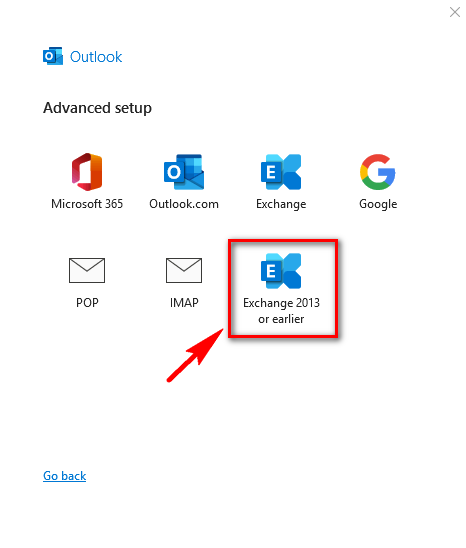
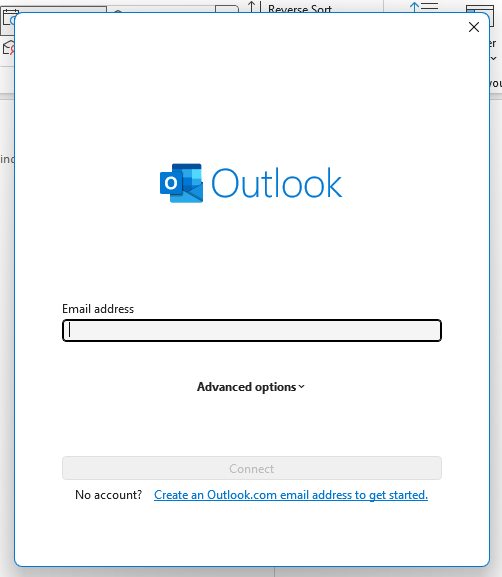
หากเชื่อมต่อสำเร็จ จะเห็นอีเมลโหลดเข้ามาใน Microsoft Outlook